Plan
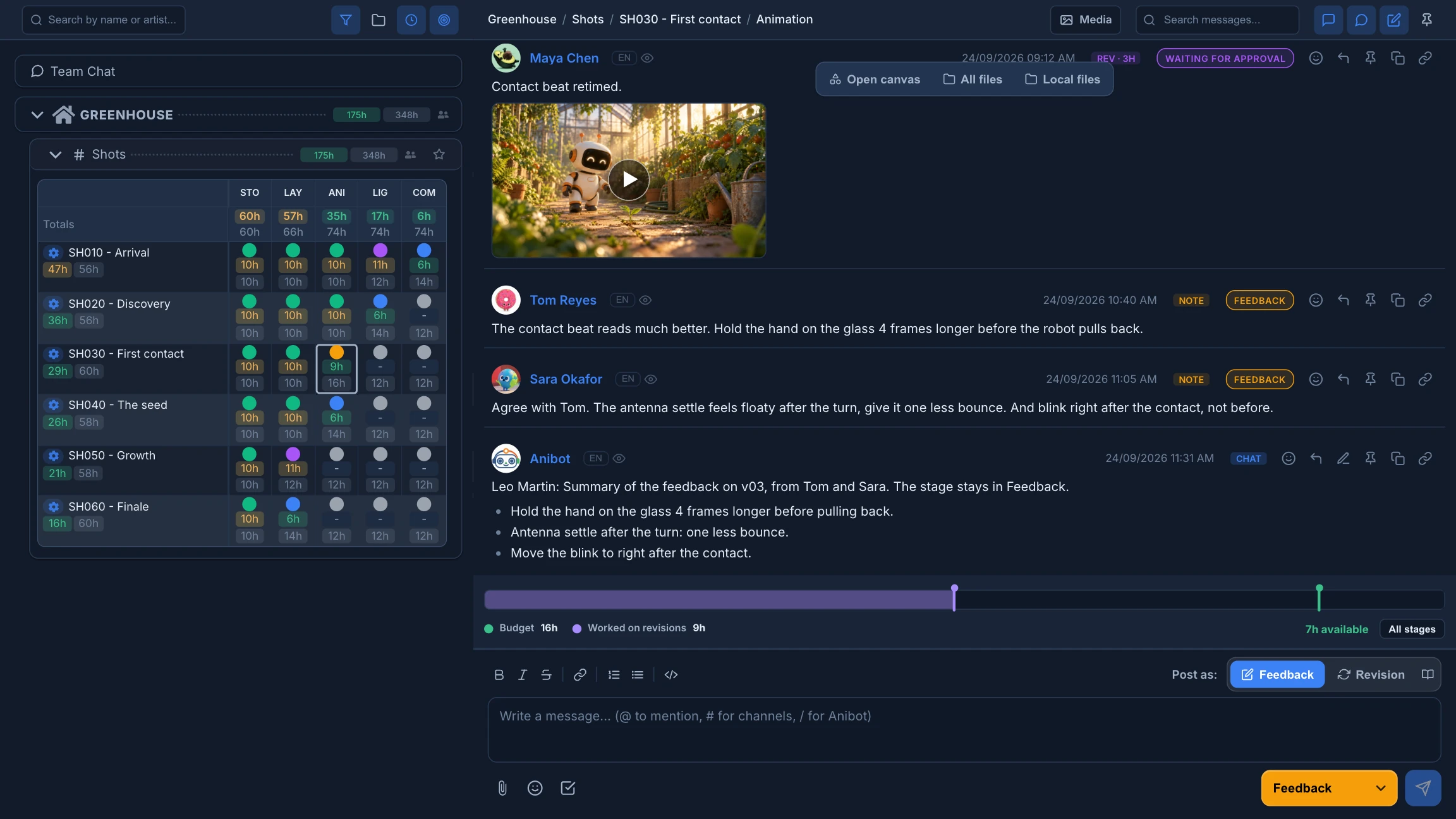
Plan on the timeline.
See who does what and when. Replan suggests a schedule from estimates and dependencies.
Plan, make, review and deliver every shot together. Files, conversations and AI generation stay with the work.
The production
Each shot shows where it stands. Open a stage to find its files, its chat and every version.
Every step of the work has its place. Switch on the ones your studio uses.
See who does what and when. Replan suggests a schedule from estimates and dependencies.
Desktop Helper brings each artist the right files. Blender opens the exact version.
Wire references into image and video models. Every result stays next to the shot.
Save characters, sets and props as assets. Use them on any canvas of the project.
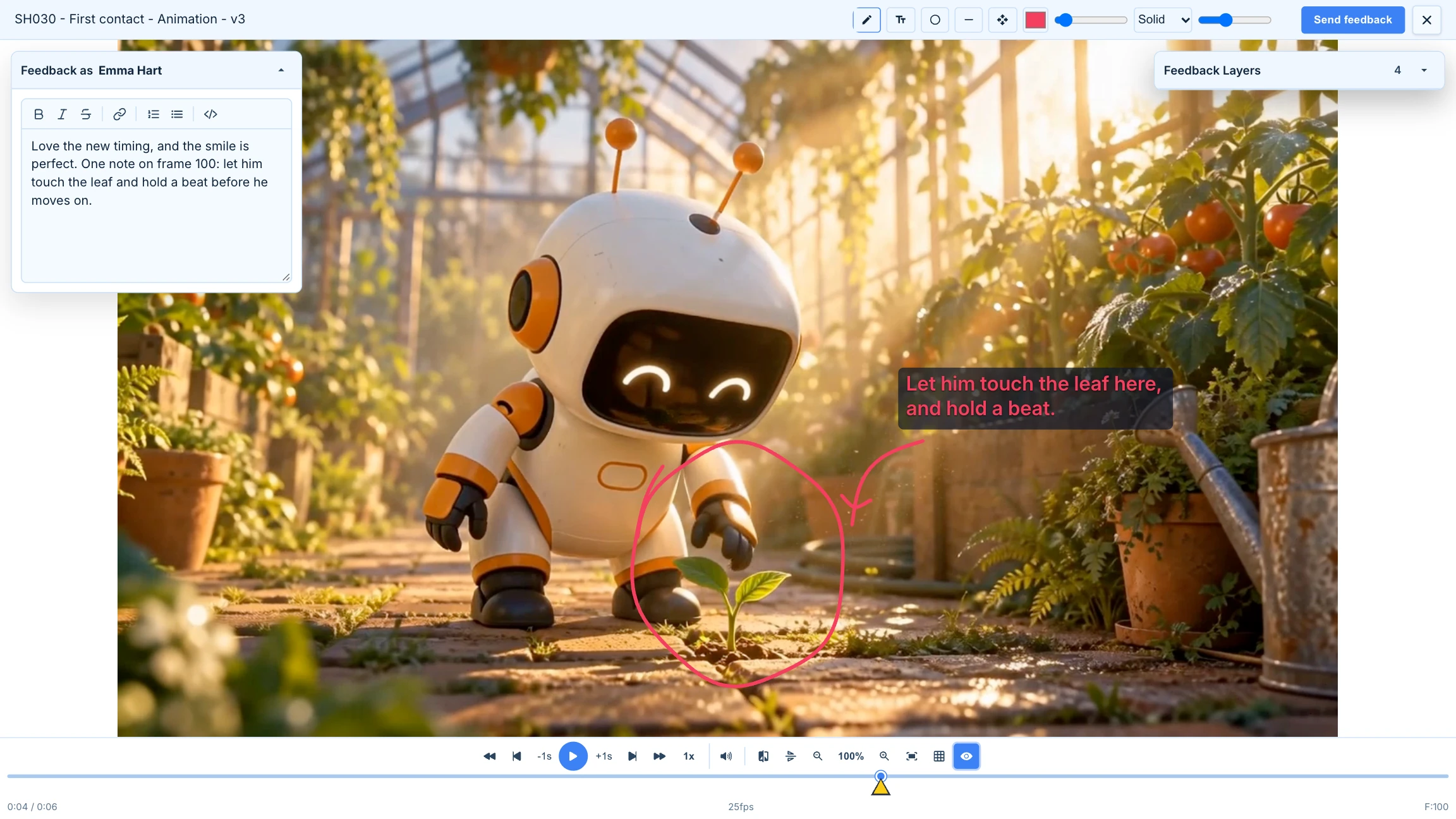
Draw on the exact frame and compare versions. Clients review through a link.
Clips can follow each new revision, so the edit never falls behind.
Spread Blender renders across your studio's computers. Available on request.
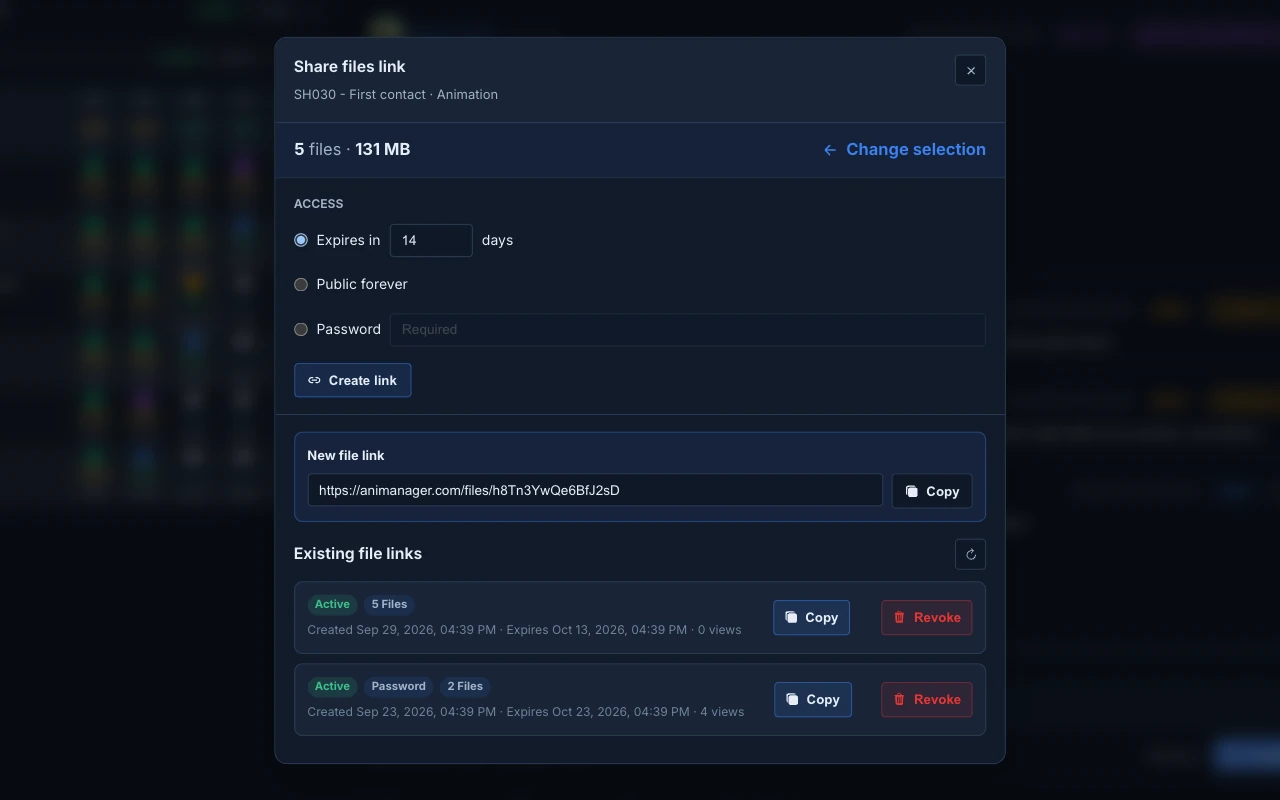
Share a revision's files by link, with an expiry date and an optional password. Export the edit to video with Desktop Helper.
One studio, clear roles, and clients who never need a seat.
Each project has its own list of people. Spaces can narrow it further.
Owner, Admin, Lead, Member and User, or your own roles in between. Choose what each can view, create or manage.
Send a link to one revision, with an expiry date and an optional password. Guests comment and draw without an account.
Everyone generates from the same token balance. Tokens never expire.
MCP for AI agents
Connect Claude, Codex or another MCP client through Desktop Helper. It reads items, stages, revisions and canvases, with your permissions and nothing more.
“Summarize the feedback on the latest revision of this shot.”
It places references, wires generators and tells you the token cost first.
It publishes a revision only on your request, signed as Anibot so the team can tell.